

Cryptocurrency has changed the way people think about money, ownership, and financial freedom. It allows individuals to hold and transfer value without relying on banks or intermediaries. However, this independence also brings a new level of responsibility. If private keys are lost or stolen, there is no way to recover the funds.
With the growing number of cyberattacks, phishing scams, and exchange hacks, storing crypto offline has become the most secure way to protect digital assets. This guide provides a complete overview of how to store cryptocurrency offline using hardware wallets. It covers setup, advanced security practices, backup strategies, legal considerations, and future trends. The goal is to help investors protect their crypto holdings for the long term with practical, easy-to-follow strategies.
The Evolution of Crypto Storage

When Bitcoin was first introduced in 2009, users stored their coins directly on computers using basic software wallets. As the crypto ecosystem expanded, so did the risks. Malware, phishing, and exchange hacks became common.
The 2014 Mt. Gox hack, where over 850,000 BTC were stolen, was a turning point. It showed that keeping crypto on exchanges was dangerous. This event led to the rise of cold storage—keeping private keys offline. Over time, hardware wallets emerged as the most secure and user-friendly form of cold storage.
Today, hardware wallets are considered the gold standard for protecting digital assets. They combine offline security with ease of use, making them ideal for both beginners and professionals.
Understanding Crypto Storage
Hot Wallets vs. Cold Wallets
Crypto wallets are divided into two main categories: hot wallets and cold wallets.
A hot wallet is a cryptocurrency wallet that is always connected to the internet or another connected device. Examples include mobile apps, browser extensions, and exchange wallets.
Cold wallets are offline storage devices that keep private keys disconnected from the internet. This makes them nearly immune to online attacks. Hardware wallets, paper wallets, and air-gapped computers are all forms of cold storage.
| Wallet Type | Connection | Security Level | Best For |
| Hot Wallet | Online | Moderate | Frequent trading |
| Cold Wallet | Offline | High | Long-term storage |
Why Offline Storage Is Essential
Offline storage eliminates exposure to online threats. Even if a hacker gains access to a computer or cryptocurrency exchange, they cannot reach funds stored on a hardware wallet. For investors holding large amounts of cryptocurrency or planning to hold long-term, cold storage remains one of the most secure options.
During uncertain market cycles, many investors prefer secure self-custody solutions. As discussed in our guide on Crypto Bear Market Signals, experienced holders often move their assets to cold storage to protect long-term investments and reduce exposure to exchange-related risks.
The Role of Private Keys
Every crypto wallet uses two keys: a public key and a private key. The public key acts like an address for receiving funds, while the private key is the secret code that allows spending those funds. Whoever controls the private key controls the crypto. Hardware wallets protect these keys by keeping them offline, ensuring they never touch an internet-connected device.
What Is a Hardware Wallet?
A hardware wallet is a physical device that stores private keys securely offline. It allows users to send and receive crypto safely by signing transactions within the device itself. The private key never leaves the wallet, even when connected to a computer or phone.
Key Features
- Offline Key Storage: Private keys are generated and stored inside the device.
- PIN Protection: Access requires a PIN, preventing unauthorized use.
- Recovery Seed: A 12-, 18-, or 24-word phrase used to restore funds if the device is lost.
- Multi-Currency Support: Most wallets support thousands of cryptocurrencies.
- Tamper Resistance: Devices are built to detect and prevent physical tampering.
- Secure Element Chips: Specialized chips protect sensitive data from extraction.
- Firmware Updates: Regular updates improve security and add new features.
Top Hardware Wallet Brands
Ledger
Ledger is one of the most trusted hardware wallet brands, offering the Ledger Nano S Plus and Ledger Nano X. Both support over 5,000 cryptocurrencies and connect to the Ledger Live app for easy management.
Pros:
- Wide coin support
- Bluetooth connectivity (Nano X)
- Strong security architecture
Cons:
- Requires Ledger Live software
- Small screen on Nano S Plus
Trezor
Trezor, created by SatoshiLabs, is known for its open-source firmware and user-friendly design. Models include Trezor One and Trezor Model T.
Pros:
- Open-source software
- Simple interface
- Supports multiple coins
Cons:
- No Bluetooth
- Higher price for Model T
SafePal
SafePal uses QR codes for transactions, keeping the device completely air-gapped—no USB or Bluetooth needed.
Pros:
- Fully offline operation
- Affordable
- Compact design
Cons:
- Smaller display
- Limited desktop compatibility
Keystone
Keystone wallets feature fingerprint authentication and open-source firmware, ideal for advanced users.
Pros:
- Biometric security
- Multi-signature support
- Air-gapped design
Cons:
- Bulkier than others
- Higher cost
BitBox02
BitBox02 by Shift Crypto is a Swiss-made wallet known for its minimalist design and microSD backup option.
Pros:
- Compact and durable
- Open-source firmware
- Easy backup system
Cons:
- Fewer supported coins than Ledger or Trezor
How to Choose the Right Hardware Wallet

Choosing the right hardware wallet depends on several factors:
1. Security Features
Look for wallets with secure element chips, PIN protection, and open-source firmware. Devices like Trezor and Keystone offer transparency through open-source code, while Ledger uses certified secure chips.
2. Supported Assets
Ensure the wallet supports the cryptocurrencies you plan to store. Some wallets specialize in Bitcoin, while others support thousands of tokens across multiple blockchains.
3. Ease of Use
Beginners should choose wallets with simple interfaces and guided setup processes. Trezor and Ledger are known for their user-friendly designs.
4. Backup Options
Check if the wallet supports advanced backup methods like Shamir Backup or microSD backups for redundancy.
5. Budget
Hardware wallets range from $50 to $200. Budget-friendly options like SafePal S1 offer strong security at a lower cost, while premium models like Ledger Nano X provide Bluetooth and mobile support.
Step-by-Step Hardware Wallet Setup

Step 1: Buy from an Official Source
Always purchase directly from the manufacturer or an authorized reseller. Avoid second-hand or third-party marketplaces, as devices could be tampered with.
Step 2: Inspect the Package
Check for:
- Tamper-evident seals
- Original packaging
- Instruction manual and cables
If anything looks suspicious, contact the manufacturer before using the device.
Step 3: Initialize the Wallet
- Connect the device to a computer or phone.
- Follow on-screen instructions to set up as a new wallet.
- Create a strong PIN code.
Step 4: Write Down the Recovery Seed
The device will display a recovery phrase (12–24 words). Write it down on paper or a metal backup plate. Never take a photo or store it online. This seed is the only way to recover funds if the device is lost or damaged.
Step 5: Install the Companion App
Each wallet has its own management software:
- Ledger Live
- Trezor Suite
- SafePal App
- Keystone App
- BitBoxApp
Download only from official websites to avoid malware.
Step 6: Add Crypto Accounts
Open the app and add supported cryptocurrencies. Each coin will have its own receiving address.
Step 7: Transfer Funds
- Copy the receiving address from the hardware wallet.
- Send crypto from an exchange or hot wallet.
- Verify the address on the device screen before confirming.
Step 8: Verify and Backup
After transferring, confirm the transaction on a blockchain explorer. Test the recovery process with a small amount before transferring large holdings.
Advanced Security Practices

Use a Passphrase
Add a passphrase to the recovery seed for extra protection. Even if someone gets the seed, they can’t access funds without the passphrase.
Enable Two-Factor Authentication
When using exchanges or companion apps, enable 2FA to prevent unauthorized access.
Keep Firmware Updated
Manufacturers release updates to fix vulnerabilities. Regularly check for updates through the official app.
Avoid Public Computers
Never connect a hardware wallet to public or shared devices. Use only trusted computers with updated antivirus software.
Use Multi-Signature Wallets
For large holdings, use multi-signature wallets that require multiple devices or users to approve transactions.
Verify Addresses on the Device
Always confirm the receiving address on the hardware wallet’s screen. Malware can alter addresses on a computer.
Use a Dedicated Computer
For maximum safety, use a dedicated computer for crypto transactions and keep it offline when not in use.
Blockchain security plays an important role across many industries, not just cryptocurrency storage. In our article Supply Chain on Polkadot: IBM vs Everledger, we explore how blockchain technology helps create secure and transparent systems for global supply chain management.
Multi-Signature Wallets Explained
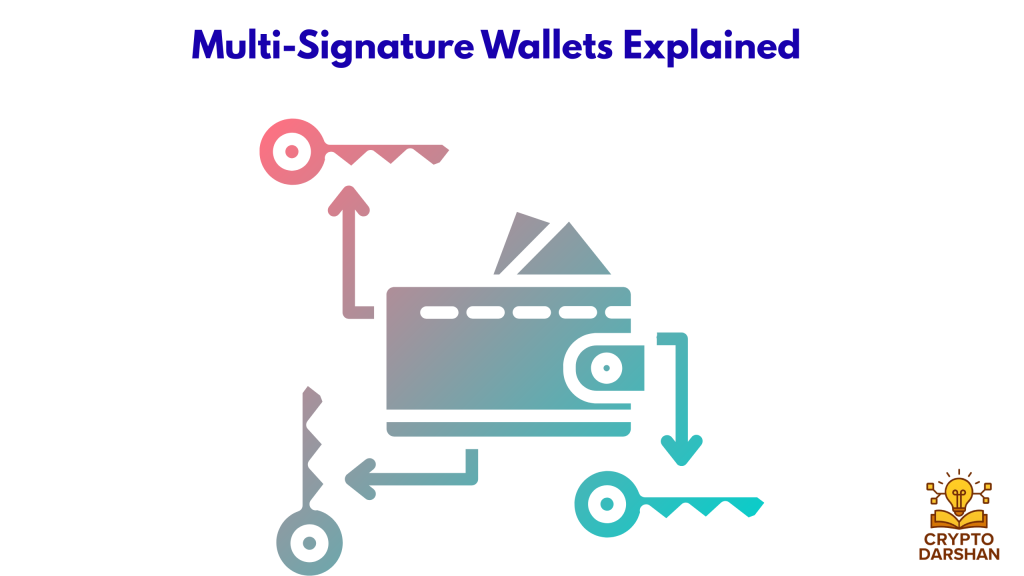
A multi-signature wallet (multi-sig) requires multiple private keys to authorize a transaction. This setup is ideal for businesses, families, or organizations managing shared funds.
Benefits of Multi-Signature Wallets
- Enhanced Security: No single person can move funds alone.
- Redundancy: If one key is lost, others can still recover access.
- Transparency: Each signer’s approval is recorded on the blockchain.
Example Setup
A 2-of-3 multi-sig wallet requires two out of three keys to approve a transaction. Each key can be stored on a separate hardware wallet in different locations.
Recommended Tools
- Electrum for Bitcoin
- Casa for multi-user setups
- Gnosis Safe for Ethereum-based assets
Integrating Hardware Wallets with DeFi and NFTs
Modern hardware wallets now support decentralized finance (DeFi) and non-fungible tokens (NFTs).
DeFi Integration
Hardware wallets can connect to DeFi platforms like Uniswap, Aave, and Compound through browser extensions such as MetaMask. This allows users to interact with smart contracts while keeping private keys offline.
Steps to Connect:
- Open MetaMask and connect the hardware wallet.
- Approve the connection on the device.
- Interact with DeFi apps securely.
NFT Storage
NFTs can also be stored on hardware wallets. Ledger and Trezor support NFT management through integrations with platforms like OpenSea and Rarible. This ensures that ownership remains secure even if the connected computer is compromised.
Long-Term Storage Strategies

When storing cryptocurrency for the long term, the goal is to protect your assets from loss, theft, or damage. These strategies help ensure your crypto remains safe and recoverable for years to come.
Use Multiple Wallets
Avoid keeping all your crypto in one wallet. Divide your holdings across several hardware wallets—one for long-term storage, another for trading, and a third for altcoins or NFTs. This reduces the risk of losing everything if one wallet is compromised.
Geographic Redundancy
Keep your recovery seeds or backups in different physical locations. For example, store one in a home safe, another in a bank deposit box, and a third with a trusted family member. This protects your assets from local disasters like fire or theft.
Estate Planning
Include your crypto in your estate plan so heirs can access it if needed. Document wallet details and backup locations, and store instructions securely with a lawyer or executor. Update this plan regularly as your holdings change.
Use Metal Backups
Paper backups can burn or fade over time. Metal seed plates are fireproof, waterproof, and corrosion-resistant, making them ideal for long-term storage. Brands like Cryptosteel or Billfodl let you engrave or stamp your recovery words for durability.
Shamir Backup
Some wallets, like the Trezor Model T, support Shamir Backup, which splits your recovery seed into multiple parts. You can set how many parts are needed to restore the wallet (for example, 3 of 5). This adds redundancy and security—no single piece reveals the full seed.
Legal and Tax Considerations

Documenting Ownership
Keep detailed records of wallet addresses, transaction IDs, and purchase receipts. This documentation helps with tax reporting and estate planning.
Crypto in Wills and Trusts
Include clear instructions in legal documents about how to access crypto assets. Use sealed envelopes or encrypted digital notes stored with legal custodians.
Tax Reporting
In many countries, crypto transactions are taxable. Hardware wallets make it easier to track transactions and prove ownership for tax purposes.
Regulatory Compliance
For businesses, maintaining proper records of cold storage wallets ensures compliance with financial regulations and audits.
Real-World Examples

Exchange Hack Avoidance
In 2022, a major exchange was hacked, and millions of dollars were stolen. Users who had withdrawn their funds to hardware wallets before the breach were unaffected.
Fireproof Backup Success
An investor stored their recovery seed on a metal plate. When their home caught fire, the plate survived, allowing full recovery of funds.
Phishing Scam Prevention
A user received a fake email asking for their recovery phrase. Knowing that no legitimate company ever requests this information, they avoided losing their funds.
The Future of Hardware Wallets

Hardware wallets continue to evolve with new features such as:
- Biometric authentication
- Multi-chain and NFT support
- Cloud-assisted backups with encryption
- Quantum-resistant encryption
- Integration with decentralized identity systems
- Enhanced mobile compatibility
These innovations aim to make offline storage even more secure and user-friendly.
Glossary of Key Terms

Private Key
A unique secret code that gives you full control over your cryptocurrency. Anyone with this key can access and spend your funds, so it must be kept private and secure.
Public Key
A wallet address used to receive cryptocurrency. It can be shared safely with others, similar to a bank account number.
Seed Phrase
A list of 12 to 24 random words generated by your wallet. It acts as a master key to recover your funds if your device is lost or damaged.
Cold Storage
A method of keeping crypto assets completely offline, away from internet access, to protect them from hacks or malware.
Hot Wallet
A wallet connected to the internet, such as a mobile or web wallet. It’s convenient for quick transactions but less secure for large holdings.
Multi-Signature (Multi-Sig)
A wallet setup that requires multiple private keys to approve a transaction. It’s often used by businesses or groups for added security.
Firmware
The internal software that runs on a hardware wallet. Keeping firmware updated ensures your device has the latest security protections and features.
Air-Gapped
A device that is completely disconnected from the internet or any network. It never connects via Wi-Fi, Bluetooth, or USB to an online system. This isolation protects private keys from remote hacking or malware attacks, making air-gapped wallets one of the most secure options for storing cryptocurrency.
Frequently Asked Questions (FAQs)

1. What is a hardware wallet?
A hardware wallet is a physical device designed to securely store cryptocurrency private keys offline. Because it remains disconnected from the internet most of the time, it protects digital assets from online hacks, malware, and phishing attacks.
2. Why should I store my crypto offline?
Storing crypto offline (also called cold storage) significantly reduces the risk of cyberattacks. Since private keys are kept away from internet-connected devices, hackers cannot easily access them.
3. Are hardware wallets safer than software wallets?
Yes. Hardware wallets are generally considered safer because private keys are stored inside the device and never exposed online. Even if your computer is compromised, the keys remain secure within the wallet.
4. What happens if I lose my hardware wallet?
If you lose the device, you can still recover your crypto using the recovery seed phrase provided during the wallet setup process. This phrase allows you to restore access to your funds on a new device.
5. What is a recovery seed phrase?
A recovery seed phrase is a list of 12–24 randomly generated words that act as a backup for your wallet. If your device is lost, damaged, or stolen, the seed phrase can restore your wallet and access to your crypto assets.
6. Can hardware wallets be hacked?
While hardware wallets are highly secure, they are not completely immune to risks. Most security issues occur due to phishing attacks, fake wallet software, or users sharing their recovery seed phrase.
7. Which cryptocurrencies can be stored on a hardware wallet?
Most hardware wallets support a wide range of cryptocurrencies, including major assets like Bitcoin, Ethereum, and many other tokens. However, supported coins vary depending on the wallet model and manufacturer.
8. Do I need technical knowledge to set up a hardware wallet?
No. Most hardware wallets are designed to be beginner-friendly and come with step-by-step instructions. Setting up a wallet usually takes only a few minutes and requires basic computer or mobile skills.
Conclusion
Storing cryptocurrency offline with a hardware wallet is the most effective way to protect digital assets from theft, hacking, and loss. By following proper setup steps, securing recovery phrases, and staying alert to scams, investors can safeguard their crypto for the long term. Whether using Ledger, Trezor, SafePal, Keystone, or BitBox, the principle remains the same: control the private keys, protect the recovery seed, and keep everything offline.
Offline storage isn’t just a precaution—it’s the foundation of true financial security in the digital age.